

An ecommerce size guide helps shoppers interpret product measurements and choose a size with the information the retailer can verify. A guide is most useful when it explains how measurements were taken, what each measurement means and which products the information applies to. A table of unexplained numbers may be accurate but still difficult to use.
This article focuses on the standalone size or fit guide. It complements an ecommerce product page checklist, which covers the wider product detail page rather than the measurement method and guide maintenance process.
Decide What The Guide Covers
State the product types, collections or items included. Do not imply one chart fits every cut or material if the products differ. For apparel, identify the measurements that matter for the item, such as body measurements or garment measurements, and explain which kind of measurement the table presents. For other products, use dimensions and fit attributes that match how customers choose.
Confirm units, size labels and conversion rules before publishing. If size names differ across markets, show the retailer’s verified mapping and make clear which system is being used. Do not invent an equivalence between sizes when the business has no reliable basis for it.
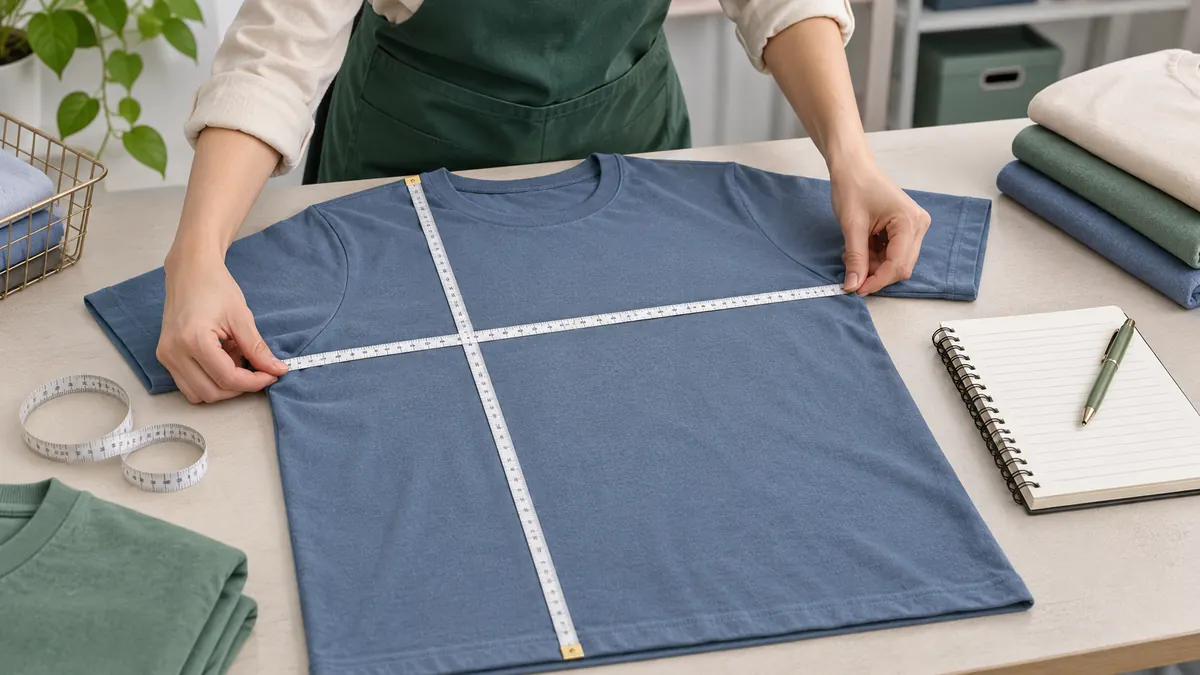
Explain How To Measure
Use a short set of instructions with a diagram or image where it improves understanding. Show where the tape or measuring tool should sit, whether the item should be laid flat, and whether measurements refer to the body or the finished product. Keep steps specific to the item type, because a measurement method for a shirt does not automatically apply to footwear or furniture.
Use consistent units and rounding. Explain any tolerance or variation only when the retailer can confirm it. If measurement guidance depends on an item being fastened, stretched or laid flat, state that plainly and illustrate the position accurately.
Add Product-Specific Fit Context
Measurements help shoppers compare; fit notes explain how the product is intended to wear. Use consistent terms such as fitted, relaxed or oversized only when product teams agree what they mean. Add garment-specific notes when construction or material affects fit, and separate verified product facts from general recommendations.

When the same size chart is used across multiple products, link it from each relevant item and label its scope. A product page can retain its own material, model or fit details while the central guide explains measurement conventions. Google’s product structured-data documentation also treats apparel sizing and product variants as product details that can be represented where applicable; structured data should reflect visible, accurate page information.
Maintain The Guide As A Source Of Truth
Assign an owner who can confirm measurements and approve changes. Keep the measurement method, chart version, products covered and last review date in the internal source file. Review the guide when a product’s pattern, material, supplier or size range changes, not only when the site receives a complaint.
Check the rendered guide on mobile, verify links and ensure the table is readable without horizontal scrolling where possible. If a table must scroll, make that behavior clear and preserve keyboard access. Check that image alternatives explain the measuring action rather than repeat nearby text.

Ecommerce Size Guide Checklist
- Is the guide’s product and collection scope explicit?
- Are measurement type, method and units clear?
- Are size labels and conversions verified for the relevant market?
- Are fit notes supported by product information?
- Is a named owner responsible for updates and mobile checks?
For broader category organization, see the guide to ecommerce category page content. If shoppers compare alternatives, the related article on ecommerce product comparison content covers that separate task.